Choose your Top 3.
Give today a little direction with up to three priorities. Plan ahead for another date, then check each item off when you finish it.
 MyDayPilot
A little more focus. A little less to remember.
Keep your top three goals, upcoming reminders, and everyday routines together. MyDayPilot helps you see what needs your attention today—and get ready for tomorrow.
Currently in limited TestFlight testing.
A place for the big things. And the little ones.
A productive day can mean finishing a project, paying a bill, or simply remembering the small things that keep life moving.
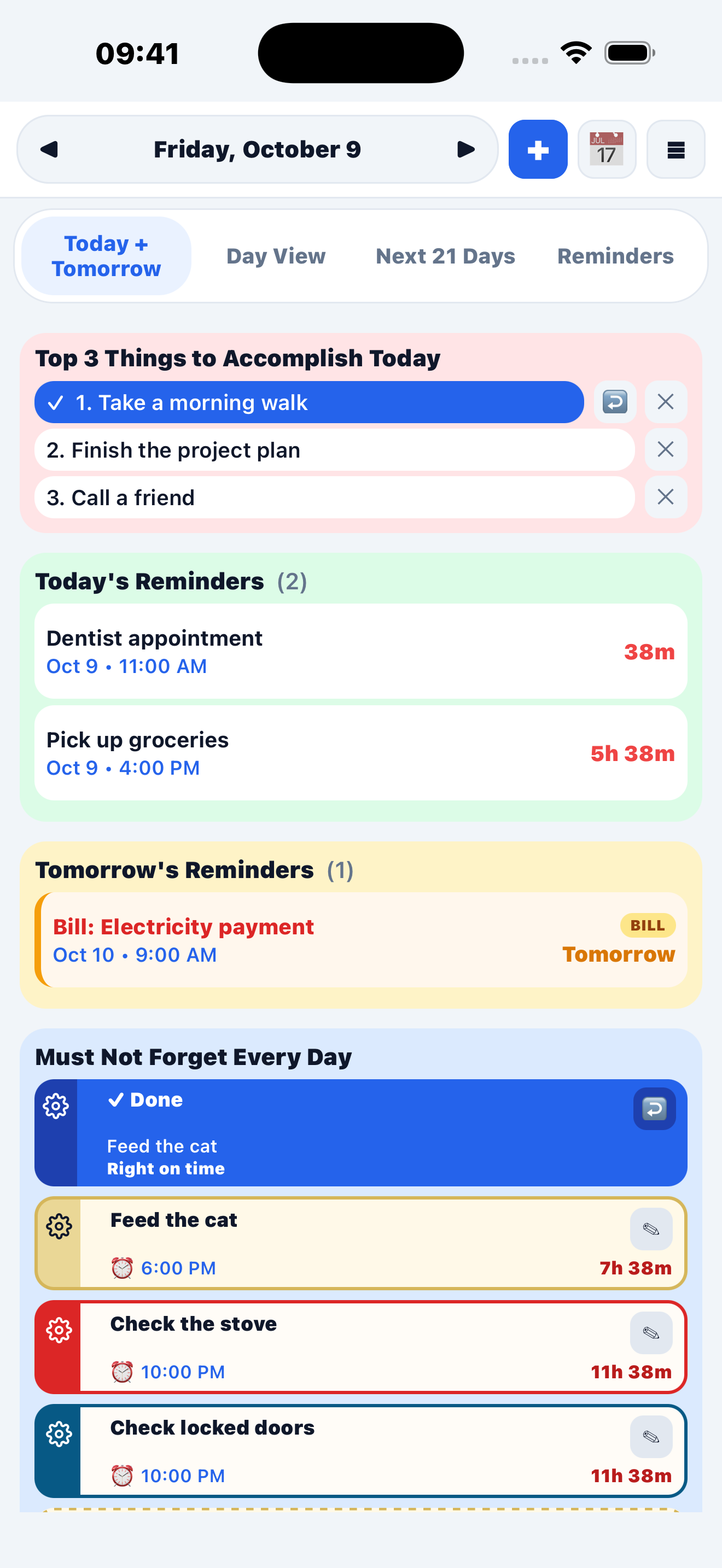
Give today a little direction with up to three priorities. Plan ahead for another date, then check each item off when you finish it.
Keep one-time events and repeating reminders together. Choose daily, weekly, every-other-week, monthly, or yearly reminders, and mark bills so they stand out.
Add up to ten Must Not Forget items. Tap to record a completion, see your timing, and start each new day with fresh checkboxes.
One less thing to remember
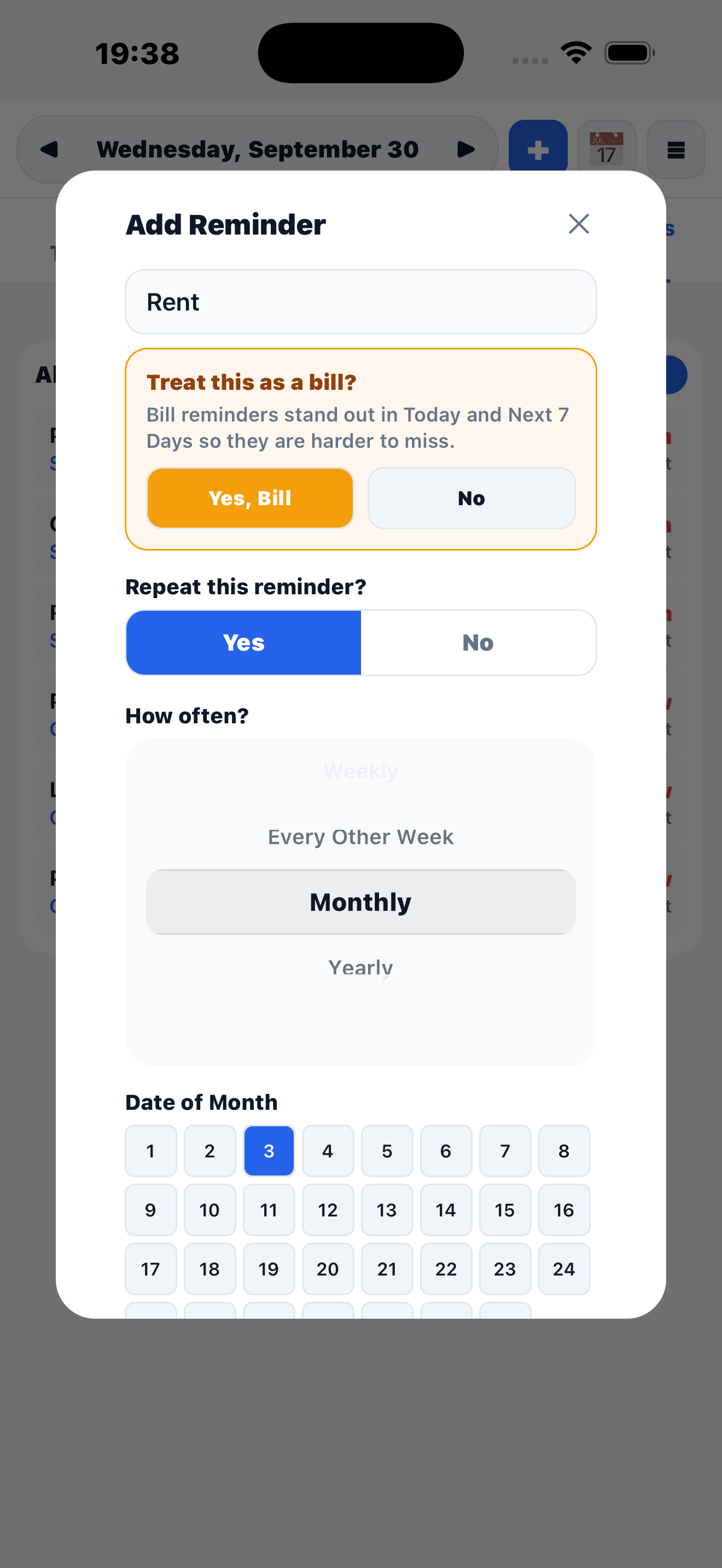
Rent, utilities, insurance, subscriptions—keep track of the bills that matter to you. Set a reminder for when each payment is due, choose whether it repeats, and mark it as a bill so it stands out.
From “I should” to “I did.”
Choose your Top 3 and glance at Today + Tomorrow. A few clear priorities are enough to begin.
Use Day View for your timeline or Next 7 Days for a wider look ahead. Set a time to receive reminder alerts.
Check off daily routines and priorities. Review Completion History and export a PDF with summaries and trends.
Planning can be personal.
Your optional Support Circle can include up to five trusted people. Share a private link so they can suggest reminders. You decide what to accept.
Choose your text size, light or dark appearance, section colors, and alert preferences. Import phone calendar events and Apple Reminders on iPhone.
Why MyDayPilot exists
MyDayPilot grew out of a familiar problem: remembering an appointment, a bill, or an everyday task after the moment had passed. It brings daily priorities, today’s reminders, tomorrow’s plans, and everyday routines into one place.
The aim is simple: make it easier to see what needs your attention and recognize what you’ve already done.
Before you get started
MyDayPilot is in limited iPhone testing through Apple TestFlight. Access is by invitation; there is no public App Store release yet. If you already have an invitation, use the link your testing organizer sent you.
Subscriptions are not enabled in the current TestFlight build. All app features remain available during testing. Public-release pricing has not been announced here.
The app uses email confirmation with no password to remember. Open your confirmation link on the iPhone where you installed MyDayPilot. If an email does not arrive, contact support so we can check your access.
Choose a specific time for an alert. All Day items do not create timed notifications. Early nudges and the main alarm have separate settings. Open the app regularly to refresh upcoming alerts; your phone’s notification and Focus settings also affect delivery.
The app stores information on your phone and syncs saved daily planning history and completion records with your account. Saved daily history covers the most recent 365 days. Cached information is available offline after setup. See the Privacy Policy for details.
The current testing release is for iPhone. This website explains the app and provides help; it is not a web version of your planner. Other platform availability has not been announced.
A thoughtful start
We’re testing MyDayPilot with a small group before a wider release. Already invited? Your TestFlight invitation is your way in.
Have a question about testing or need help getting started?
Contact & testing help ↗Try one Top 3 goal, one timed reminder, and one daily routine. Tell us what felt useful, confusing, or unexpected using TestFlight feedback.
Please use sample information while testing and keep passwords and private account details out of feedback.